Too many tasks📝, no clear priorities ⚠️, and deadlines constantly slipping ⏰
Project Tracker Excel
Did you know that 70% of projects fail due to a lack of organization? 😬 Managing a project well is not just about making lists — it’s about planning each step strategically.
Good project management = less stress, more efficiency, and better results 📈
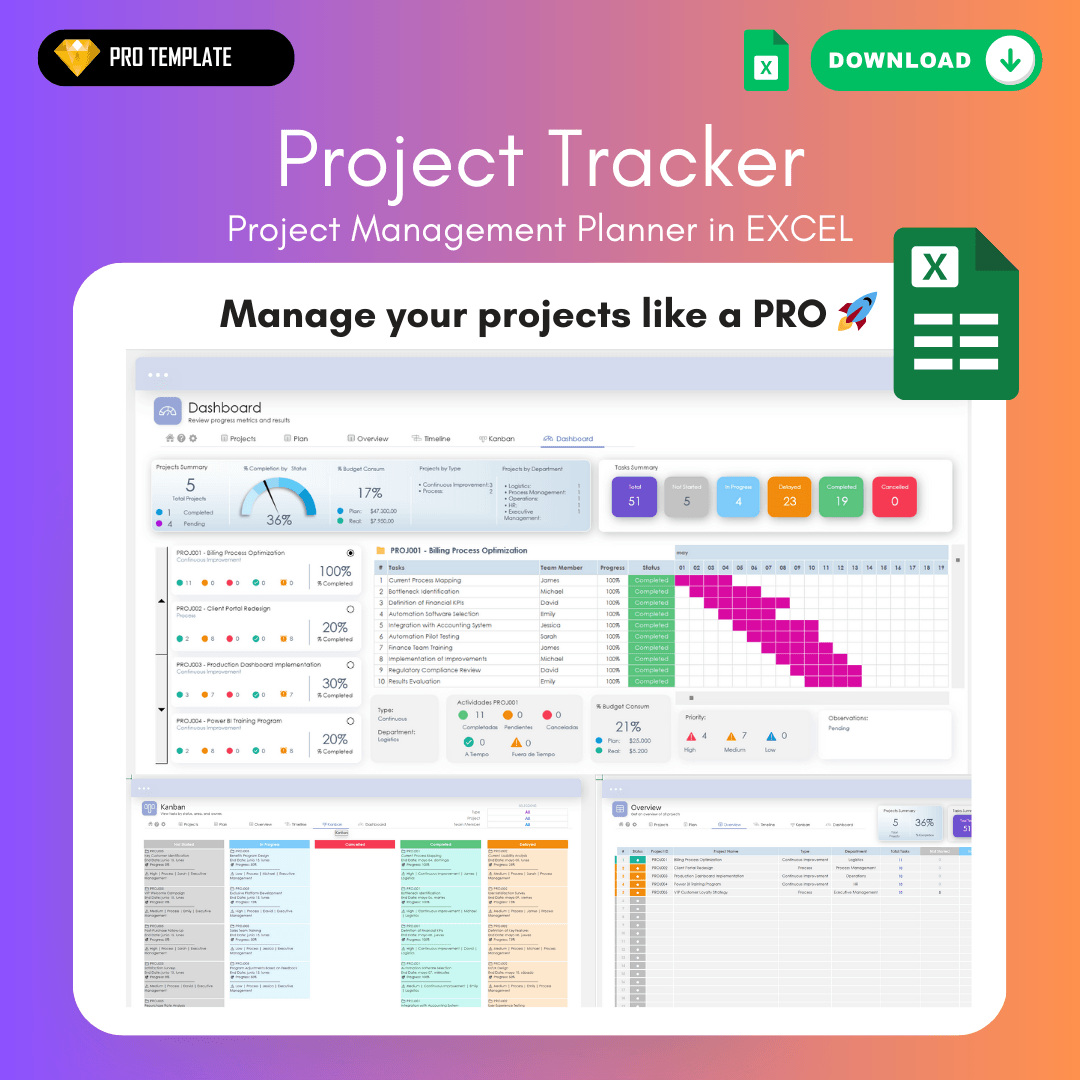
Use this powerful Excel template to transform the way you manage your projects and bring your ideas to life. 🤓🚀
Do you ever…
Feel overwhelmed by so many pending tasks?
Jump from one task to another without knowing where to start?
Spend more time organizing than progressing?
The real secret to becoming more efficient in any process is… good planning and organization!🗂️
Don’t get frustrated anymore — use a tool that will help you make a quantum leap in how you manage your projects 🚀
Use a Project Tracker and get the following benefits:

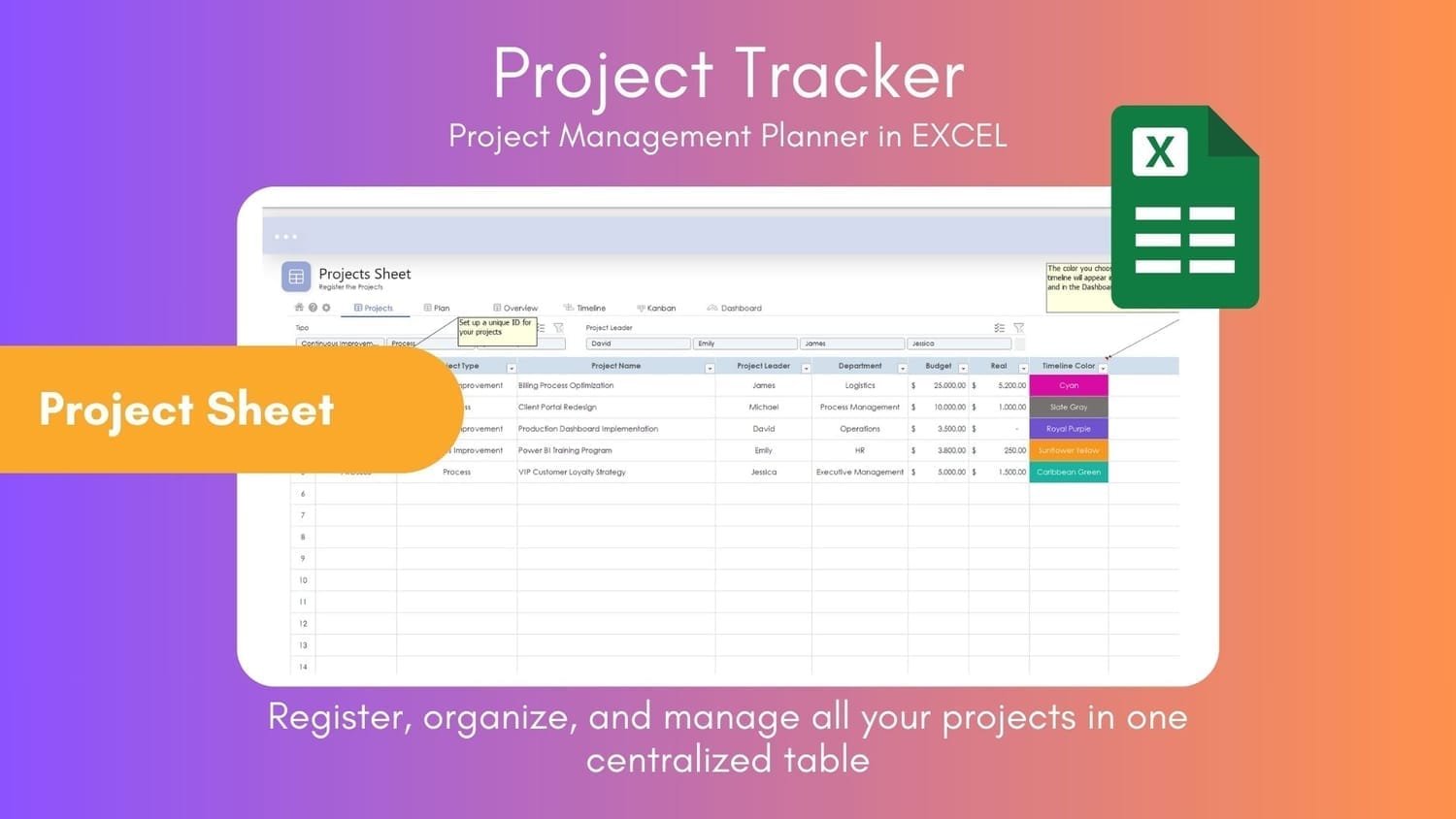
Total Organization: Plan and manage up to 20 projects in one place, keeping every task and date well structured.

Time Savings: Reduce the time you spend organizing and planning, allowing you to focus on executing your tasks and advancing your projects.

Ease of Use: Designed in Excel, it’s intuitive and easy to use, even if you are not a project management expert. Stand out professionally and look like a PRO. 🚀🤓
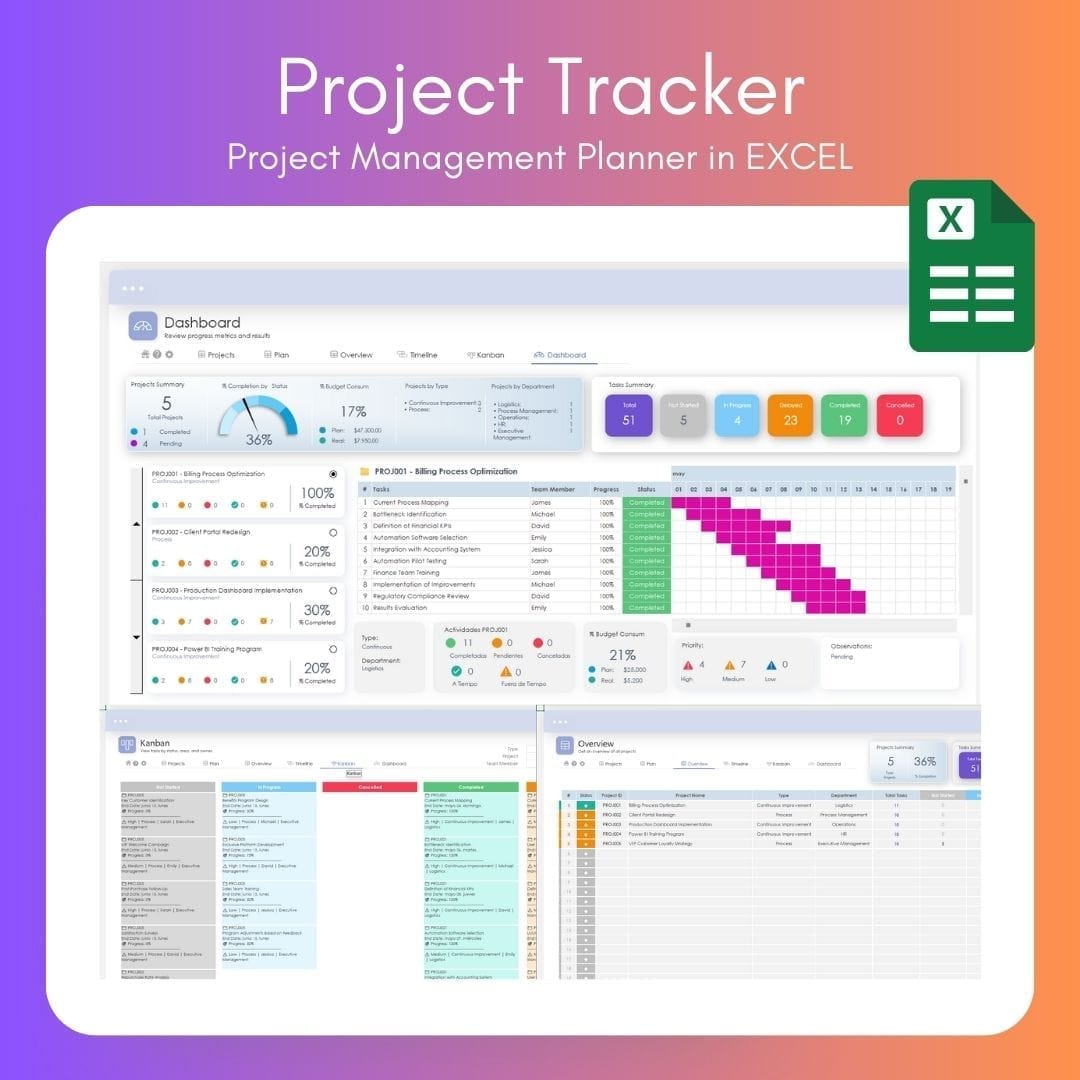
What Project Tracker includes:
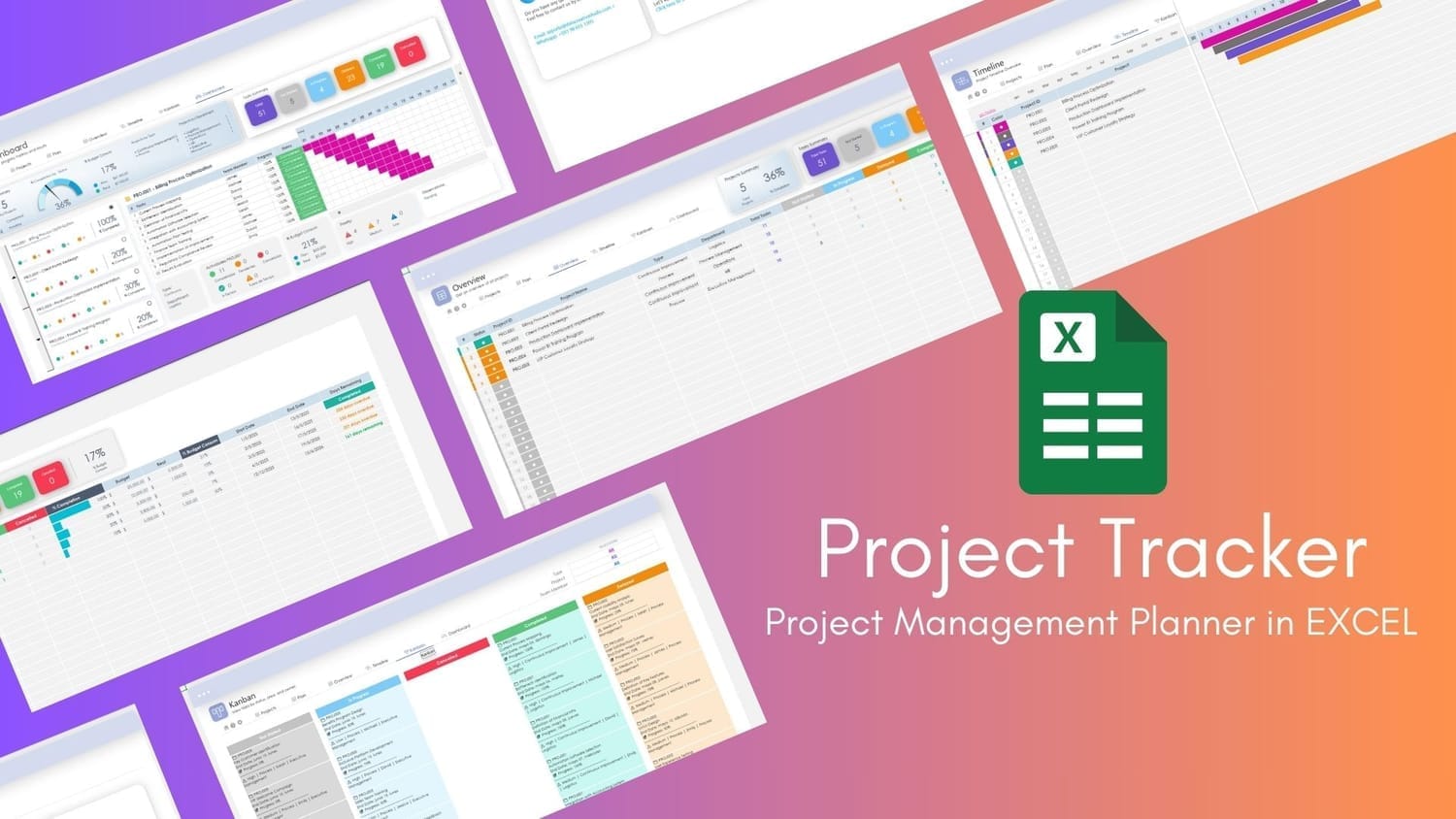
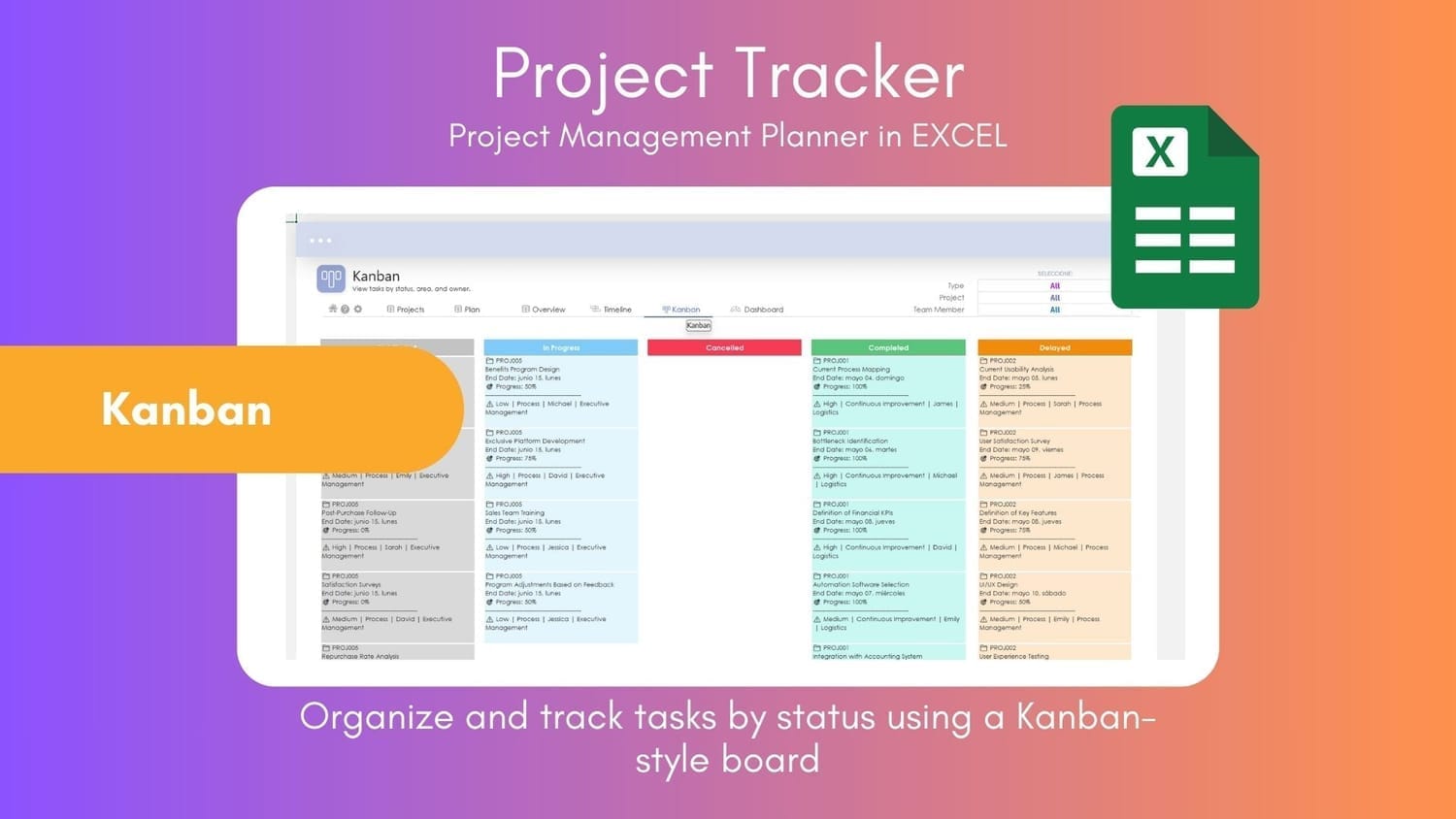
Swipe to view more 👉🏼
Project Planner Compact: Includes a compact version with a more intuitive dashboard (MS365 version and 2016-2019 version) - Light - Dark Mode
Up to 20 Simultaneous Projects: Ideal for professionals and teams managing multiple projects.
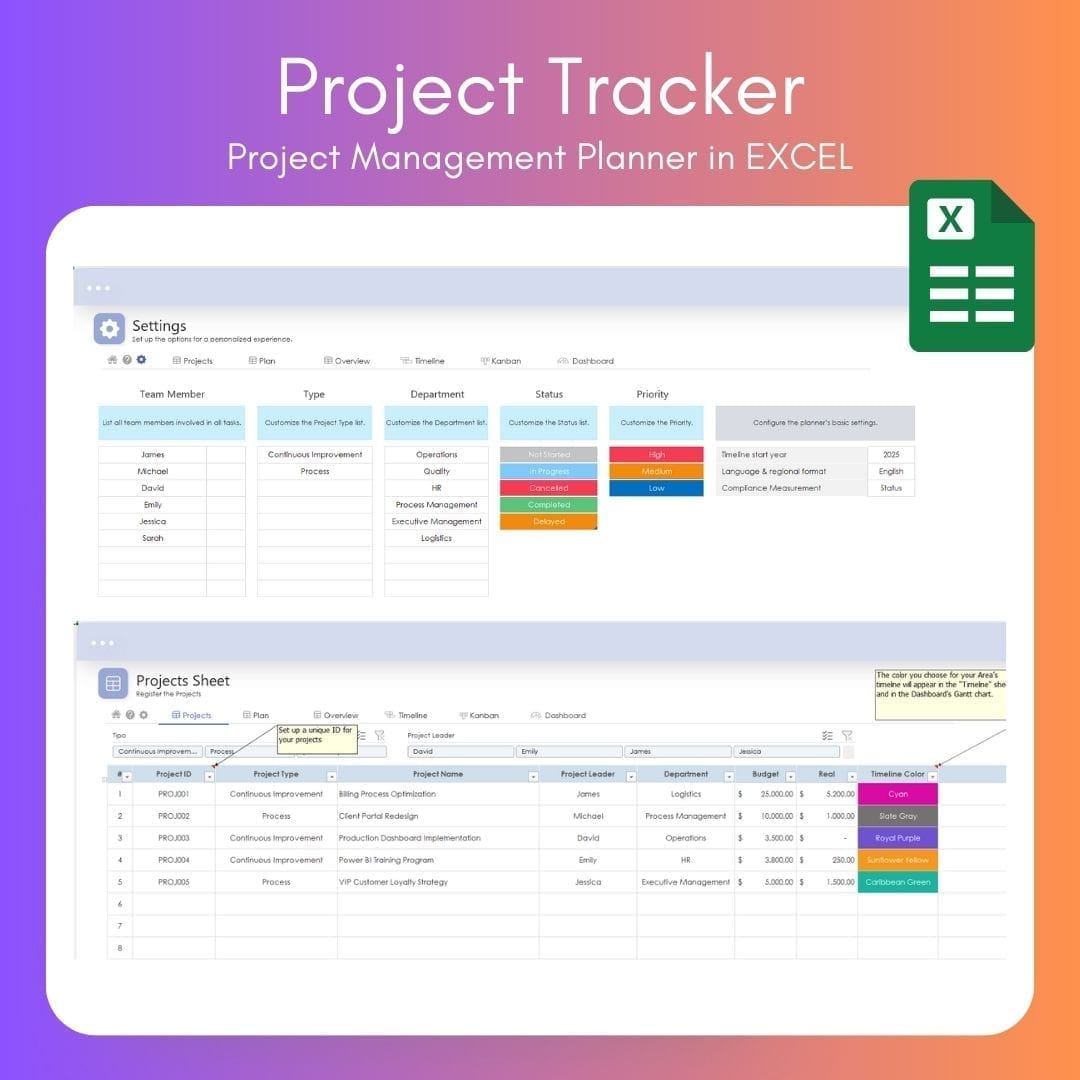
Custom Settings: Personalize features like team members, project names, regional configuration, and more.
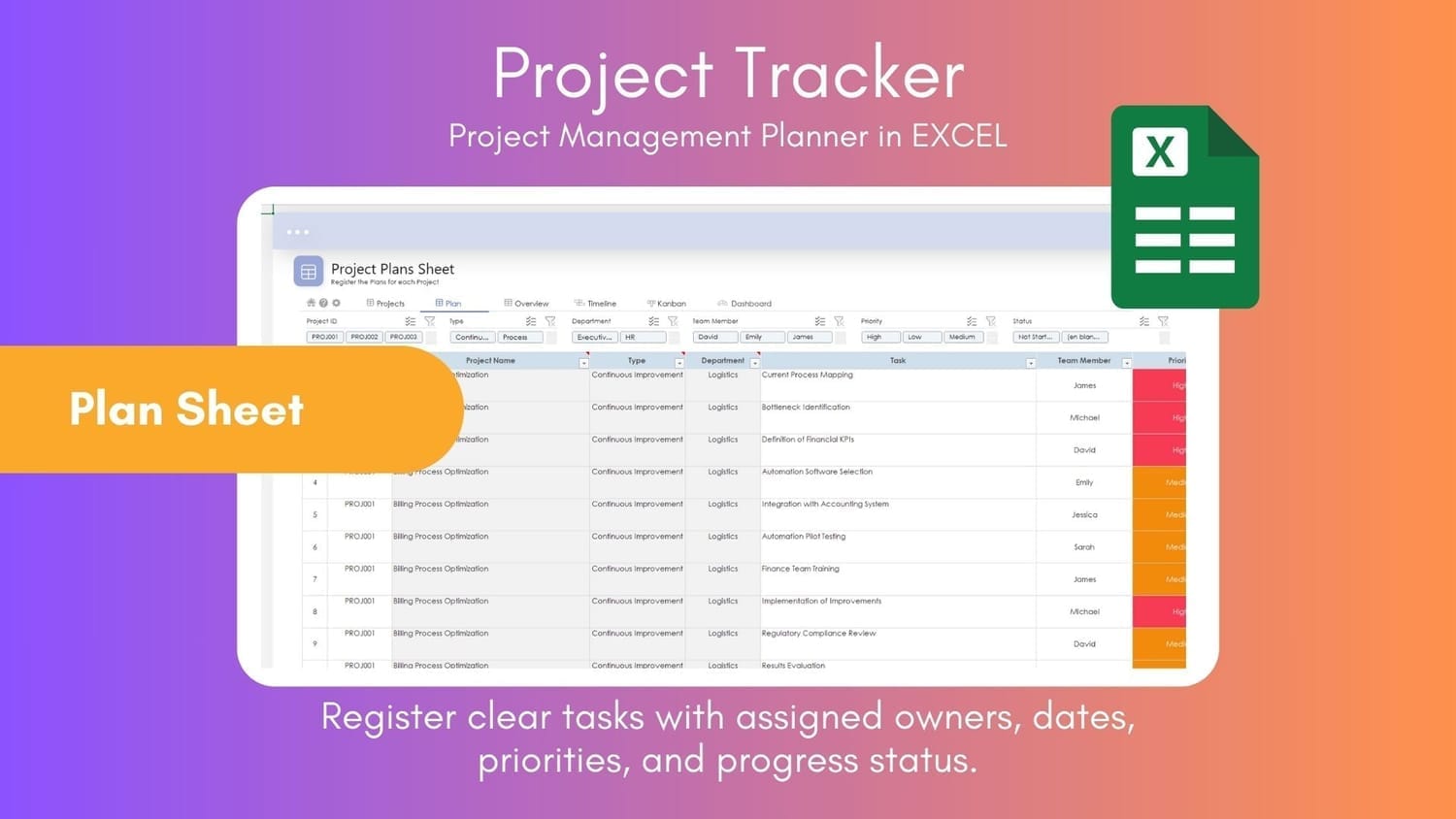
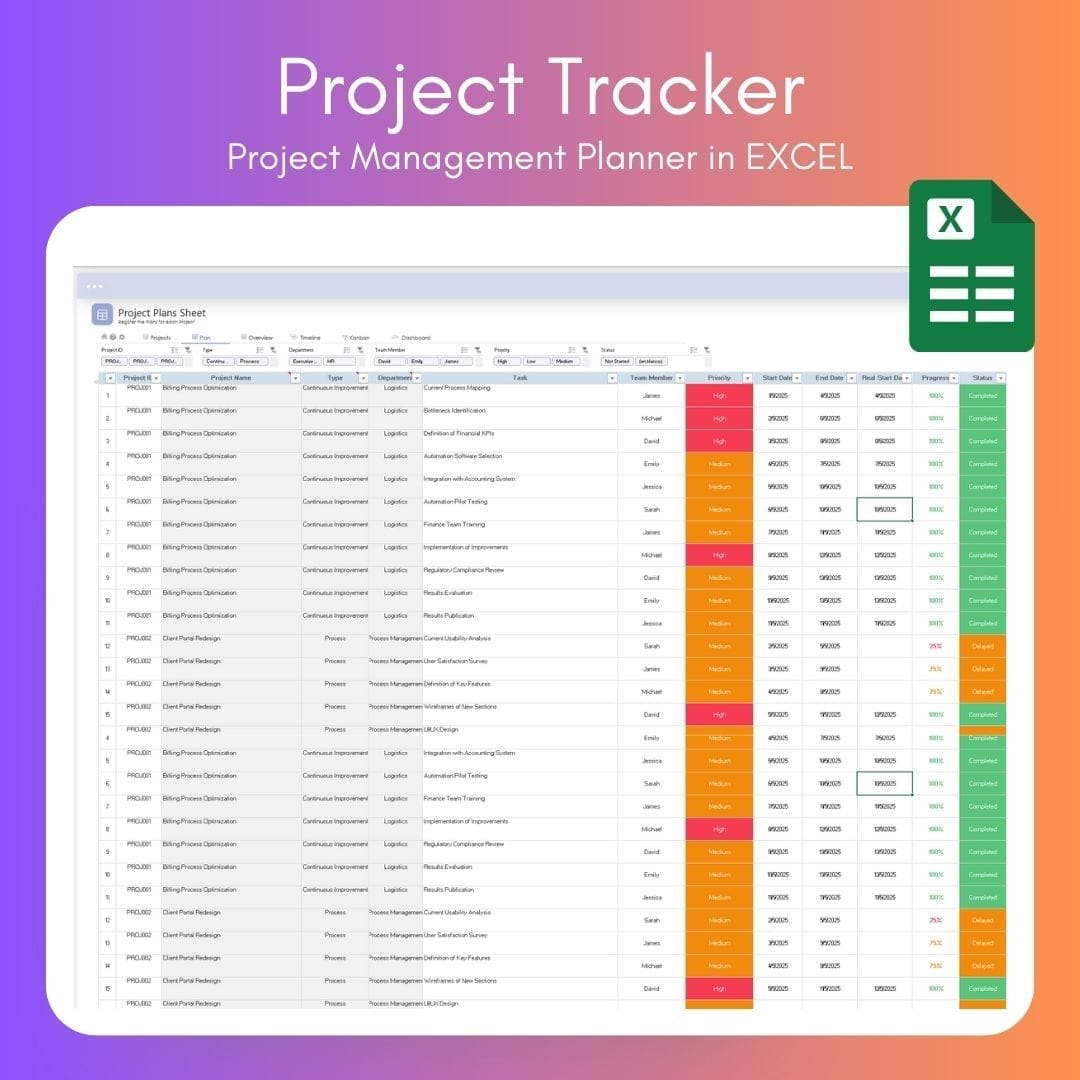
Task and Date Assignment: Clarity on who must do what and by when.
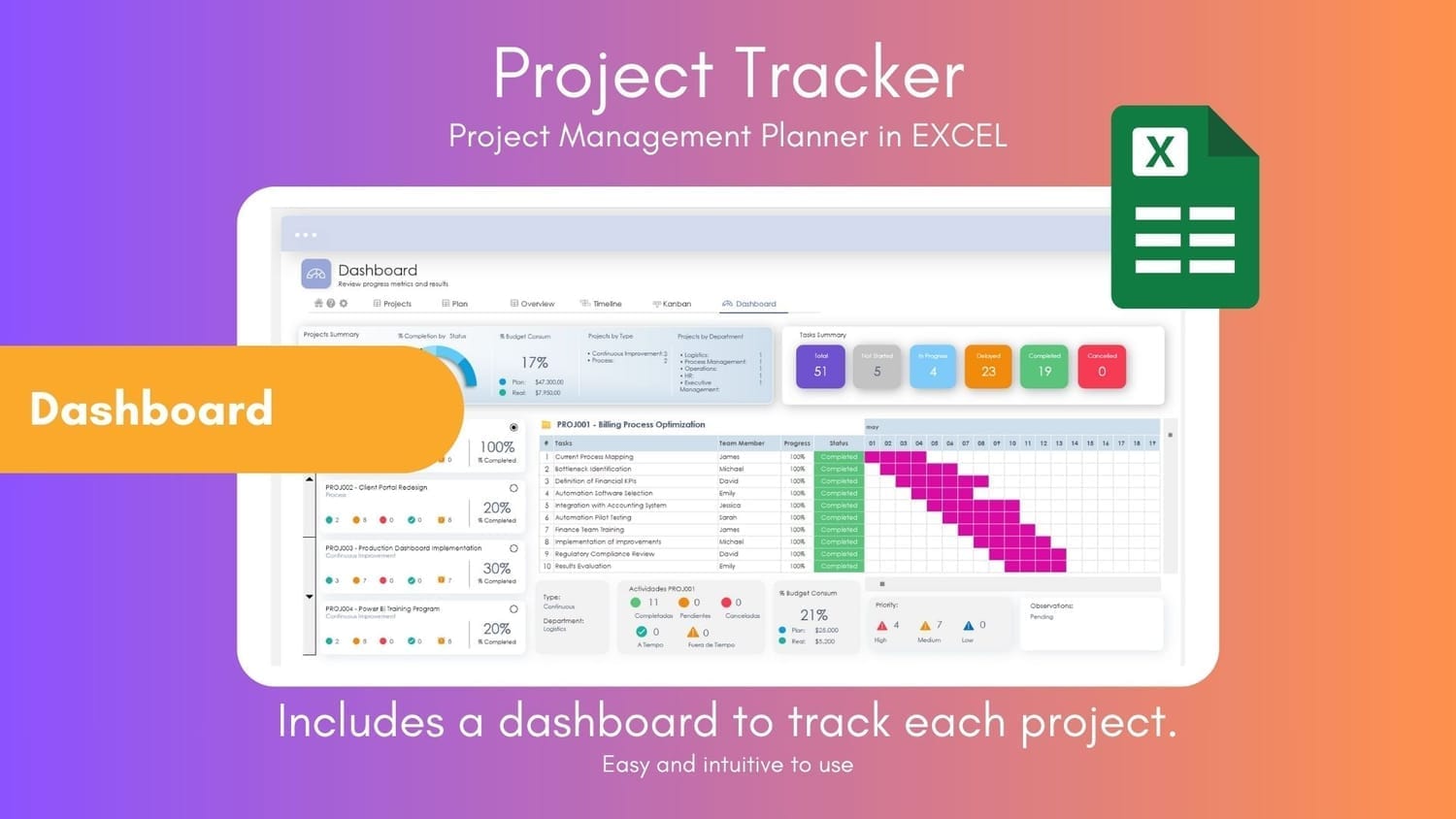
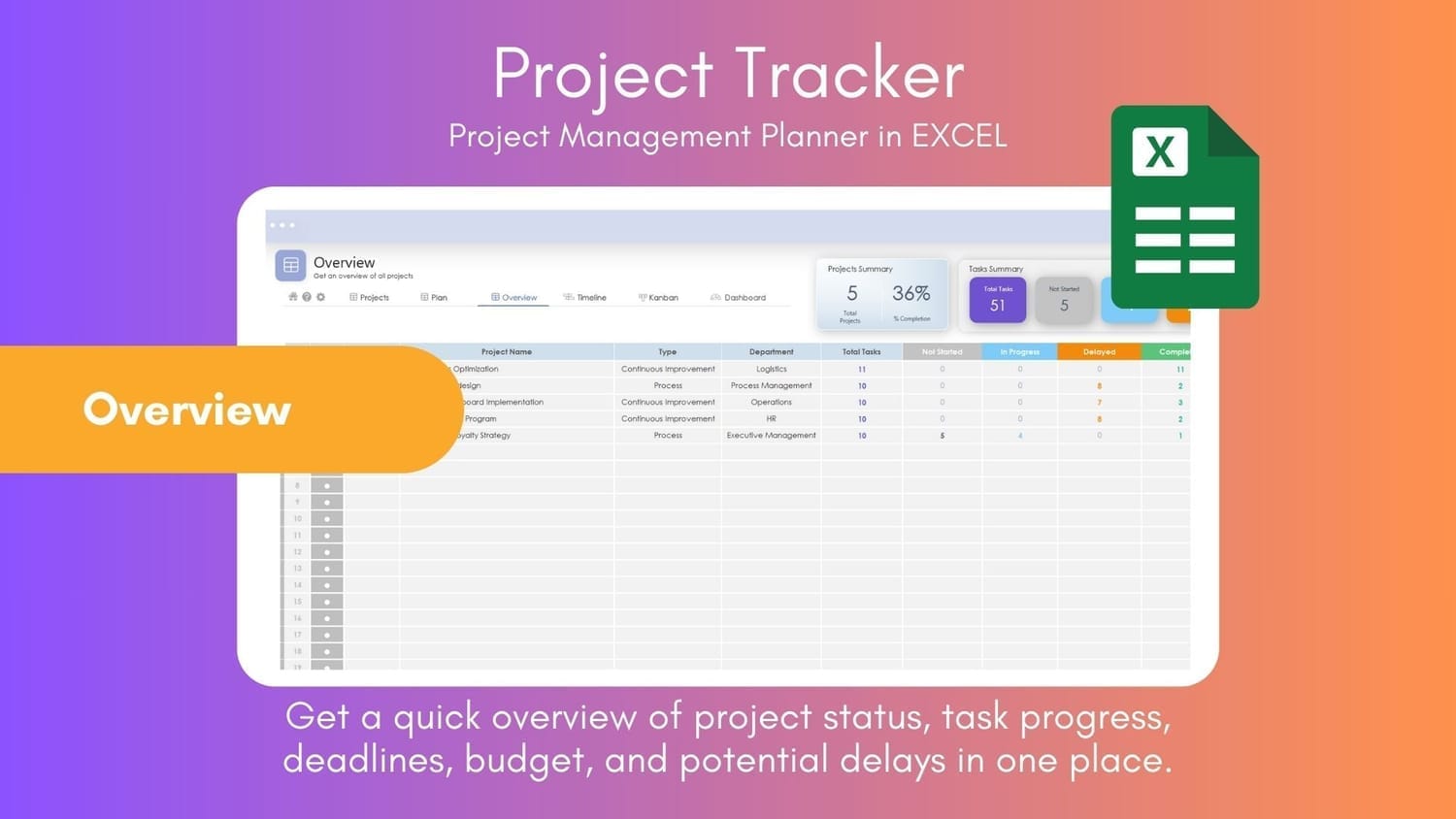
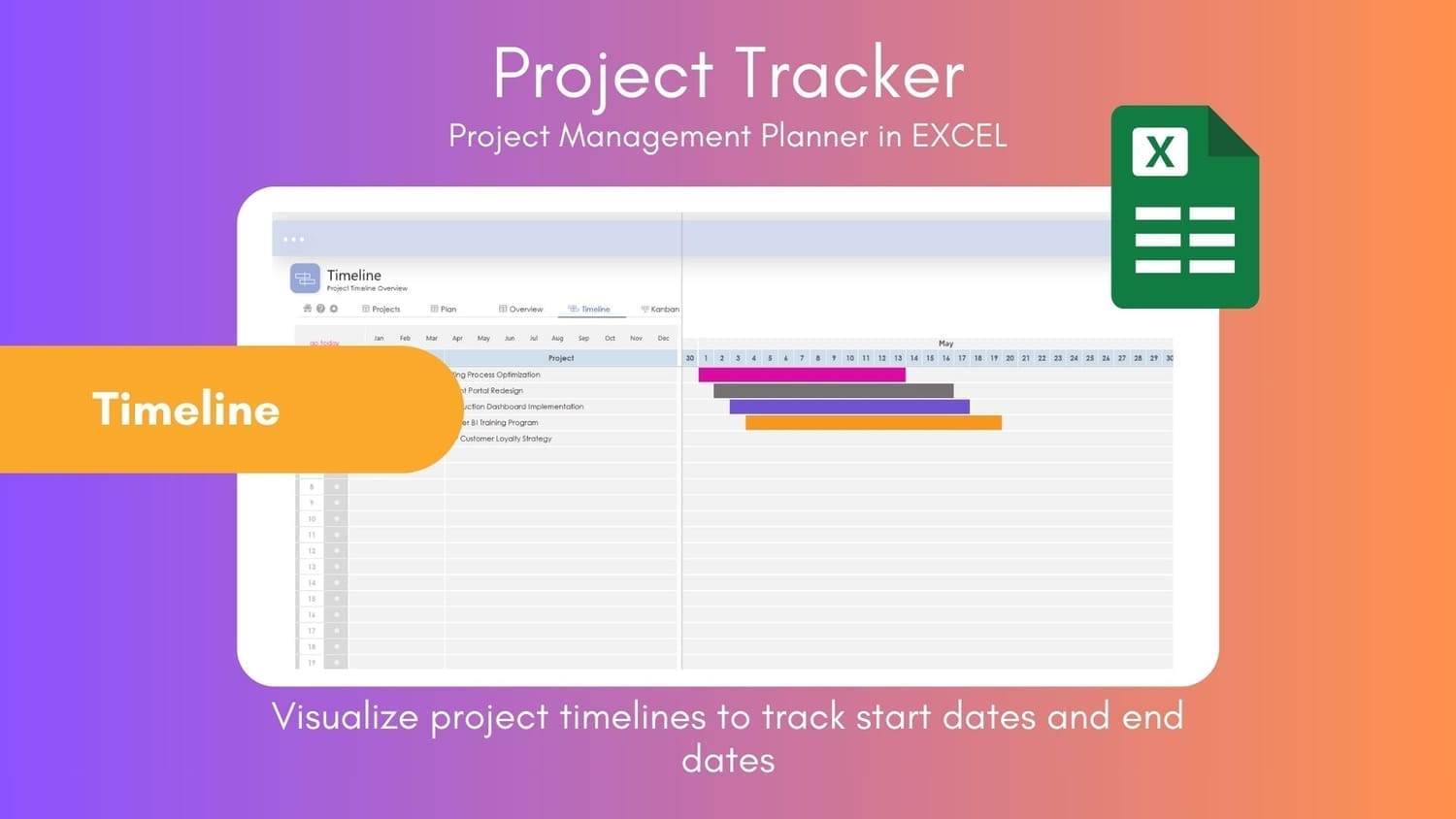
Progress Tracking: Stay on top of every advancement and detect delays. Features Dashboard, Project Overview, Timeline, Taskline, Kanban, and Calendar views.
Visual Resources: Icons and visual elements to make your projects more attractive and easier to understand.
Modes:
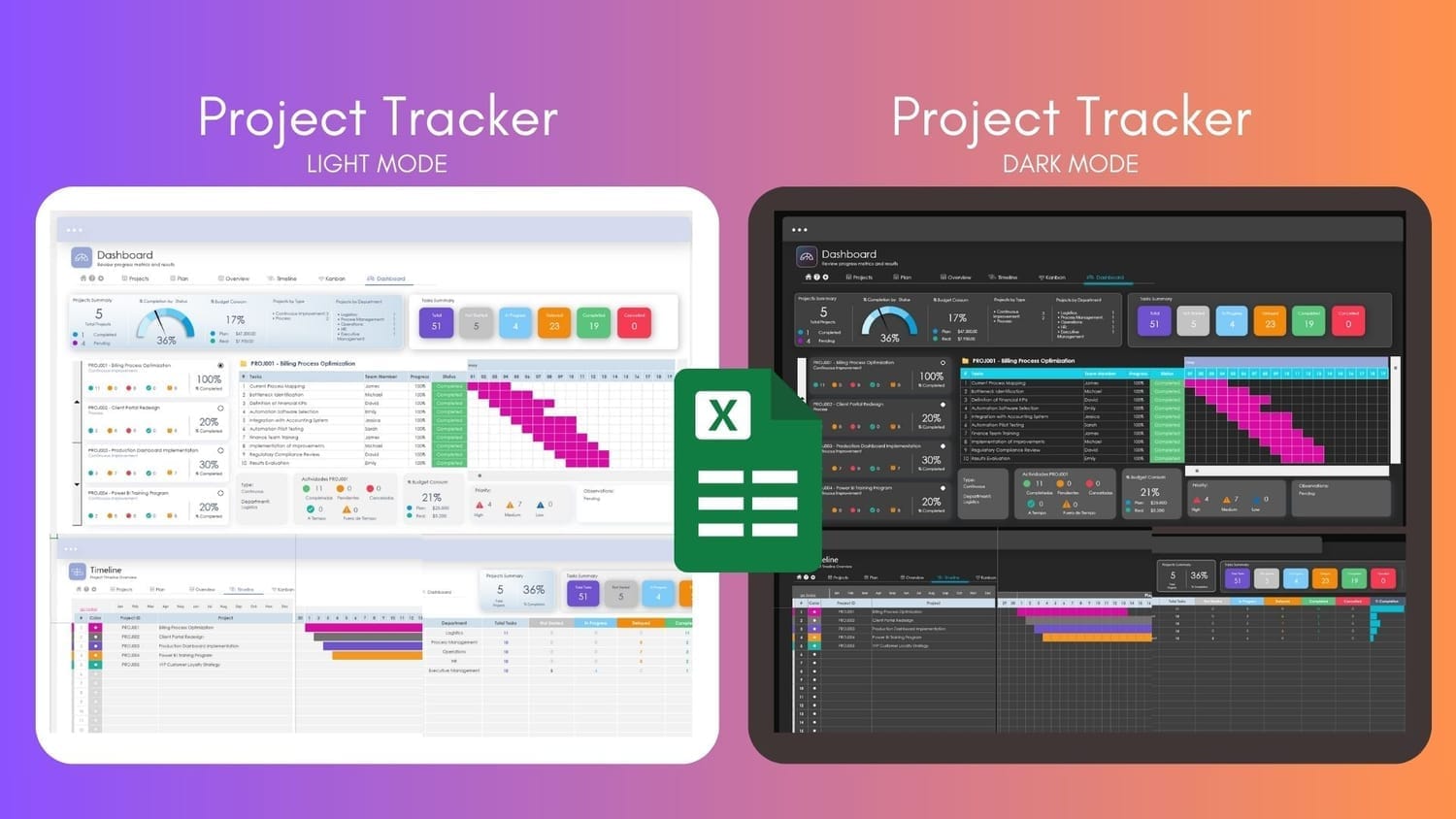
How It Works
Step 1: Configure important information
In Settings: Work Team, Type, Department, Status, Priority, General
In Projects: Projects configuration
Step 2: Go to Projects Plan Sheet and fill in the information
Step 3: Review the information in the different views:
Dashboard
Overview
Timeline
Kanban
Transform the way you present your projects and look like a PRO! 🤓🚀
Ideal for professionals who want to maximize productivity and manage projects with greater efficiency. If you are an analyst, coordinator, team leader, or simply someone who wants to improve their organization, Project Planner PRO is for you.
Frequently Asked Questions
Not at all! It’s designed so that anyone, regardless of Excel experience, can use it easily. If you know how to open a file and type in a cell, you already have what you need. Step-by-step instructions are included so you don’t get lost along the way.
Project Tracker is optimized for all Excel versions. It works on both Windows and Mac as long as you are using a modern version of Excel. It is not compatible with Google Sheets or Excel Online, as some advanced functionalities do not run correctly there.
You can handle up to 20 projects at once. Each one with its own section for tasks, dates, responsible parties, and more. Ideal for freelancers, small teams, or anyone who has multiple fronts open.
Project Tracker 20PRO comes with several views to suit your needs:
Dashboard: An overview of all your projects
Overview: Specific details of each project
Timeline: Time lines to visualize progress
Kanban: Organize tasks by status
These tools will help you keep everything under control and visualize project progress clearly.
Absolutely! You can adapt project names, team members, priorities, statuses, and more. It’s designed to be flexible and fit the way you work.
After purchase, you will receive an instant download link via Hotmart. No waiting or complications. You will also have access to future updates at no additional cost.
You can pay through the secure Hotmart platform, which accepts credit and debit cards and other methods depending on your country. If you have any issues, contact us and we will offer alternatives.
Total Value: $75
Get Your Templates Today for only:
$ 14,99 USD*
*One-time payment and instant access.
🚨 If you have any issues with your purchase, contact us and we’ll provide an alternative payment option.
Have questions? Message us on WhatsApp

Don’t let chaos and lack of organization stop your productivity. Take control of your projects now!

@2024 Todos los derechos reservados Data Creativa Studio
Regístrate ahora
Harum ducimus cupiditate similique quisquam et deserunt, recusandae.